
When you share Google Drive files using Google Apps, we try our best to ensure that your recipients can actually access them. For instance, if you link to a Google Slides presentation in Gmail and that presentation hasn’t been shared with your recipient, we show you an option to share it before sending the email.
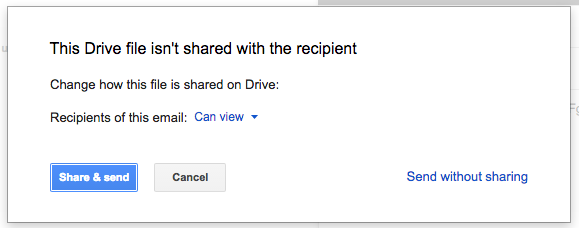
We also do this if you “+” someone into a comment in Docs, Sheets, or Slides, if you add someone to a protected range in Sheets, or if you attach a Google file to a Calendar invite (provided the person on the other end doesn’t already have access).
We’ve heard from many Apps admins, however, that they want greater control over the sharing options their employees have in these scenarios. In response to that feedback, today we’re introducing new Access Checker settings in the Admin console (Admin console > Apps > Google Apps > Settings for Drive > Sharing settings).
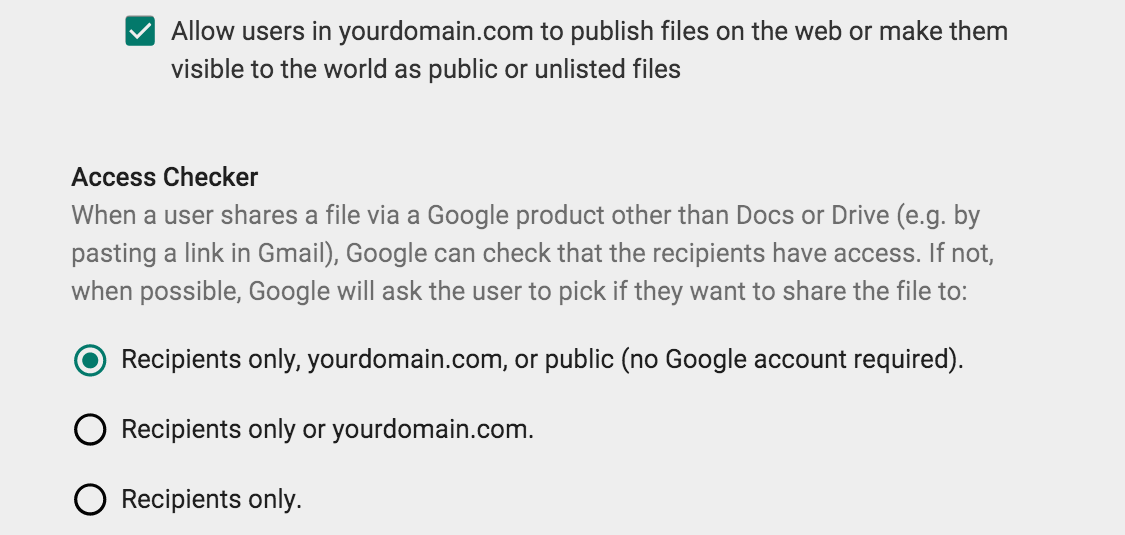
If an admin allows external, public file sharing (i.e. they’ve checked the box next to Allow users in XYZ domain to publish files on the web or make them visible to the world as public or unlisted files), that admin will now be able to say which of the following three options their users will have when sharing files in the scenarios described above:
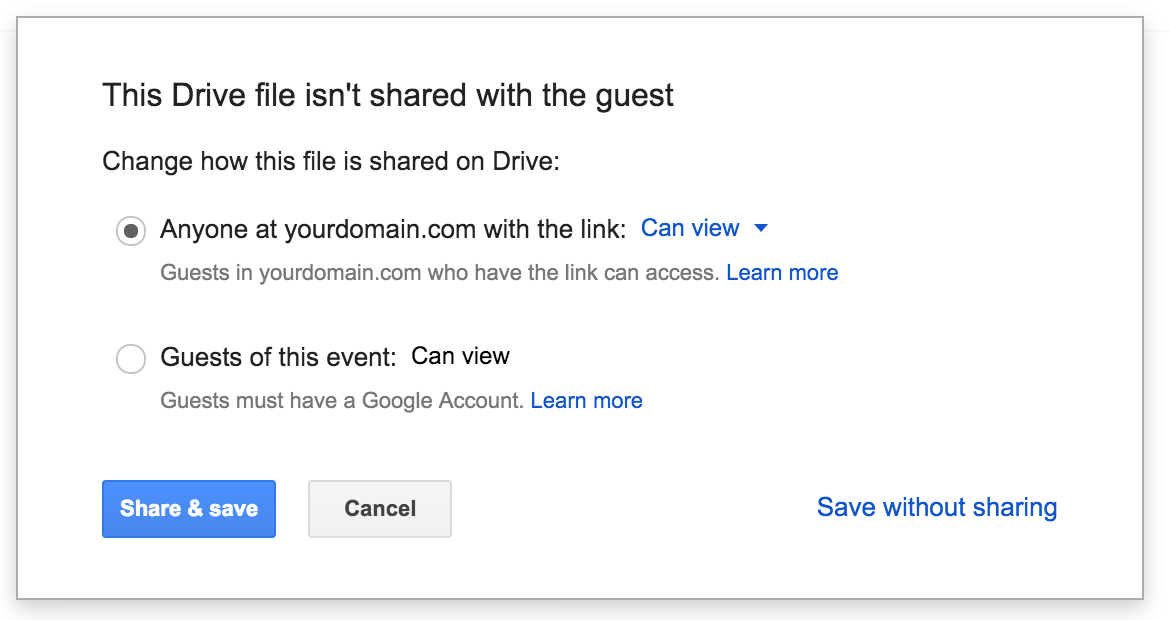
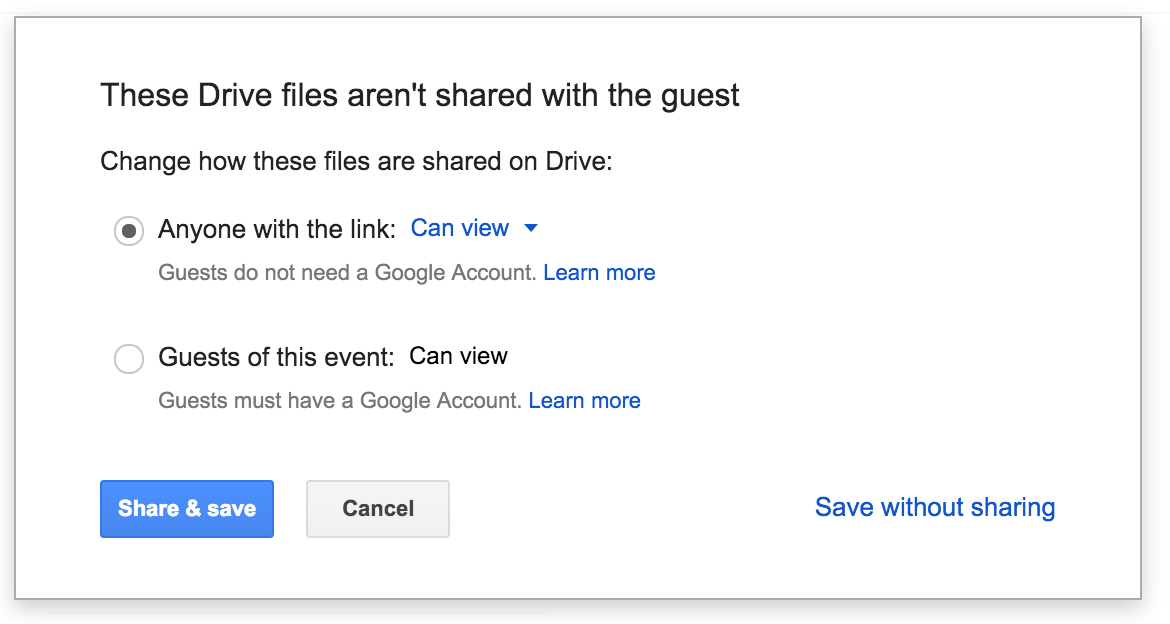
For example, if an admin chooses option 1 and an employee in their domain attaches a Google Sheets spreadsheet to an event in Calendar, that employee will be asked if they want to share that spreadsheet with guests of the event only or one of two additional options: (1) anyone in their domain with the link (if all guests are in their domain), or (2) anyone with the link (if any guests are in different domains).
At launch, for admins who allow external, public file sharing, “recipients only, their domain, or public” will be the option selected by default.
Alternatively, if an admin prohibits external, public file sharing, that admin will be able to choose which of the following two options their users see when sharing files in the scenarios described above:
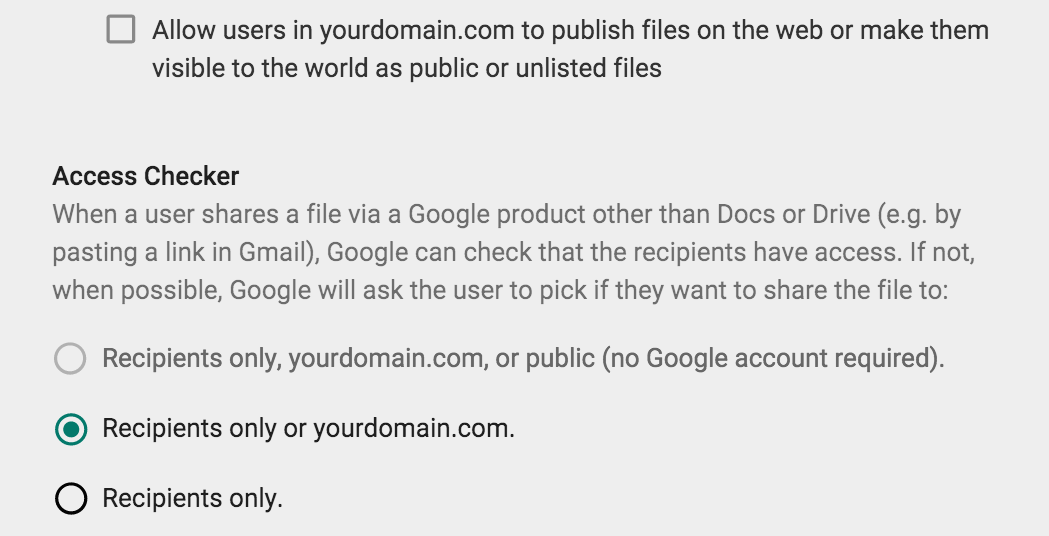
For these admins, “recipients only or their domain” will be the option selected by default.
It’s important to note that the sharing options shown to users will be determined based on the settings in the document owner’s domain, which may not be the same as the settings in the domain of the person sharing the file. If someone tries to share multiple files and different policies apply to each (e.g. because the document owners are in different domains), we'll abide by the least permissive policy when showing options to users.
Consider this example: a user tries to send an email with three files attached—one file allows public sharing, and two allow sharing with recipients only. In that case, we’ll only offer the option to share with recipients, as that option abides by the least permissive policy associated with the files being shared.
Launch Details
Release track:
Launching to both Rapid release and Scheduled release
Rollout pace:
Full rollout (1–3 days for feature visibility)
Impact:
Admins and end users
Action:
Admin action required
More Information
Help Center
Note: all launches are applicable to all Google Apps editions unless otherwise noted
Launch release calendar
Launch detail categories
Get these product update alerts by email
Subscribe to the RSS feed of these updates
We also do this if you “+” someone into a comment in Docs, Sheets, or Slides, if you add someone to a protected range in Sheets, or if you attach a Google file to a Calendar invite (provided the person on the other end doesn’t already have access).
We’ve heard from many Apps admins, however, that they want greater control over the sharing options their employees have in these scenarios. In response to that feedback, today we’re introducing new Access Checker settings in the Admin console (Admin console > Apps > Google Apps > Settings for Drive > Sharing settings).
If an admin allows external, public file sharing (i.e. they’ve checked the box next to Allow users in XYZ domain to publish files on the web or make them visible to the world as public or unlisted files), that admin will now be able to say which of the following three options their users will have when sharing files in the scenarios described above:
- Option 1: Recipients only, their domain, or public (no Google account required)
- Option 2: Recipients only or their domain
- Option 3: Recipients only
For example, if an admin chooses option 1 and an employee in their domain attaches a Google Sheets spreadsheet to an event in Calendar, that employee will be asked if they want to share that spreadsheet with guests of the event only or one of two additional options: (1) anyone in their domain with the link (if all guests are in their domain), or (2) anyone with the link (if any guests are in different domains).
At launch, for admins who allow external, public file sharing, “recipients only, their domain, or public” will be the option selected by default.
Alternatively, if an admin prohibits external, public file sharing, that admin will be able to choose which of the following two options their users see when sharing files in the scenarios described above:
- Option 1: Recipients only or their domain
- Option 2: Recipients only
For these admins, “recipients only or their domain” will be the option selected by default.
It’s important to note that the sharing options shown to users will be determined based on the settings in the document owner’s domain, which may not be the same as the settings in the domain of the person sharing the file. If someone tries to share multiple files and different policies apply to each (e.g. because the document owners are in different domains), we'll abide by the least permissive policy when showing options to users.
Consider this example: a user tries to send an email with three files attached—one file allows public sharing, and two allow sharing with recipients only. In that case, we’ll only offer the option to share with recipients, as that option abides by the least permissive policy associated with the files being shared.
Launch Details
Release track:
Launching to both Rapid release and Scheduled release
Rollout pace:
Full rollout (1–3 days for feature visibility)
Impact:
Admins and end users
Action:
Admin action required
More Information
Help Center
Note: all launches are applicable to all Google Apps editions unless otherwise noted
Launch release calendar
Launch detail categories
Get these product update alerts by email
Subscribe to the RSS feed of these updates

