Today we’re making Street View even better, especially on mobile devices, by launching a new Street View renderer in the Google Maps JavaScript API. Read on for the full details of what we’ve improved!
Better display
Smoother Transitions
Transitions from one point to another in Street View now include more animation frames, creating the effect of gliding smoothly to the next location. Transitions in the old renderer looked like jumping from one location to another.|
Old renderer
|
New renderer
|
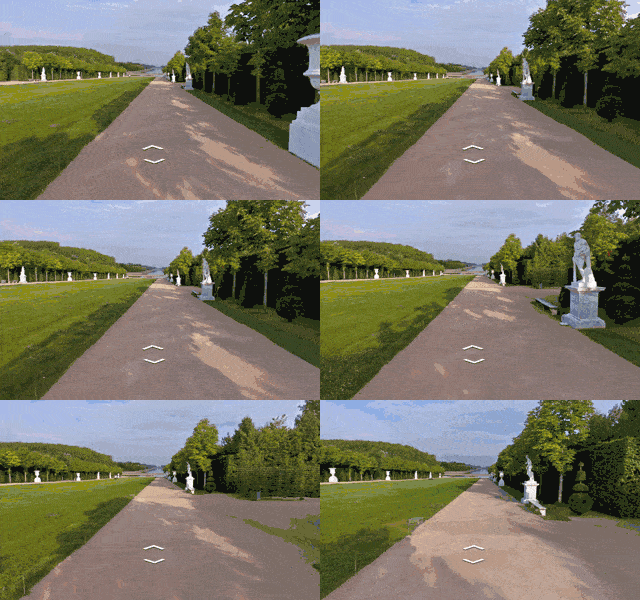 |
 |
Smoother Loading Animations
The old renderer repeats images while loading new content, resulting in a stuttering effect. The new renderer uses lower resolution imagery while loading, resulting in a smoother animation when rotating an image in Street View.|
Old renderer
|
New renderer
|
 |
 |
Object modeling improvements
Objects in Street View look better in the new renderer because it builds a 360-degree model that considers all possible perspectives. For example, this high rise building has wavy lines in the old renderer, as opposed to crisp lines in the new renderer.|
Old renderer
|
New renderer
|
 |
 |
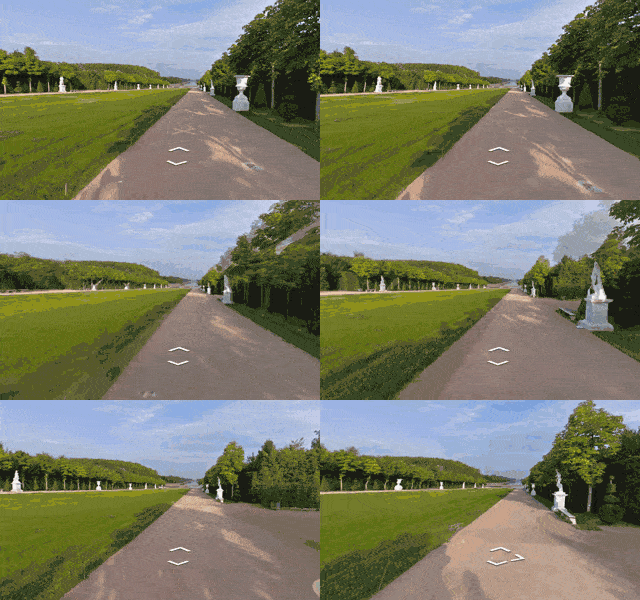
In another example: for imagery on an incline, such as a street with a steep hill, the new renderer corrects the objects to be vertical, whereas the old renderer would have shown the objects at an angle.
|
Old renderer
|
New renderer
|
 |
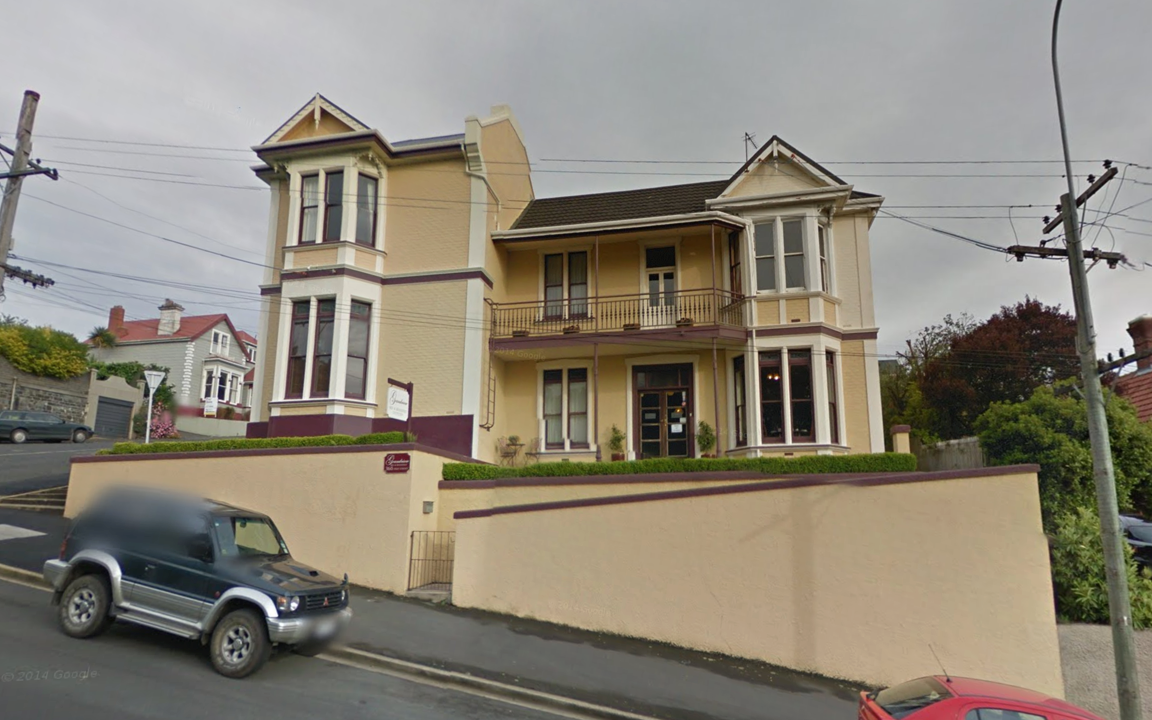 |
Better mobile support
WebGL imagery
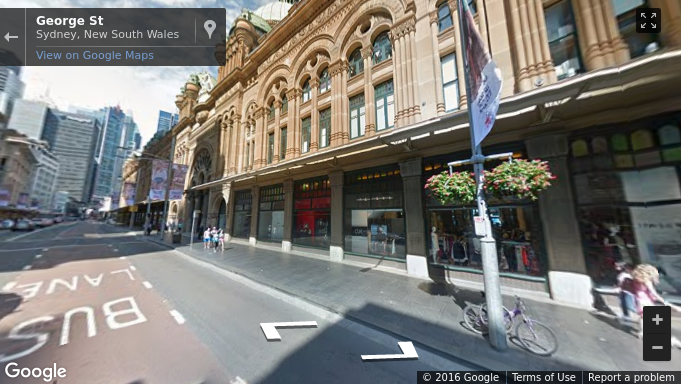
The new renderer uses WebGL (on browsers that support it) which results in a higher frame rate and better rendering, especially on mobile devices. On mobile devices, the old renderer would display a fish-eye projection of the image, whereas WebGL allows us to present a rendered sphere that looks as it would in reality. For example, the street in the image below is straight, but the old renderer made it look curved on mobile devices.|
Old renderer
|
New renderer
|
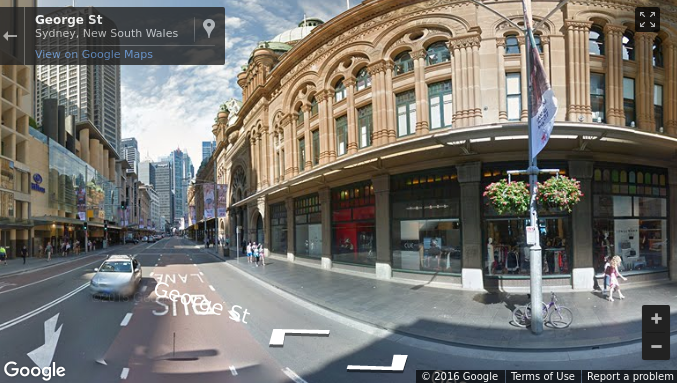 |
 |
Touch support
As mobile web usage grows, users expect familiar touch-based interactions to work everywhere. The new renderer supports the same natural touch-based gestures on mobile which have been available in the Google Maps Android app: pinch-to-zoom and double-tap-to-go. In the old renderer, zooming was only available through the +/- buttons, and movement was only possible by clicking the arrows on the ground.Motion tracking on mobile devices
Mobile devices give developers the opportunity to provide their users with more natural ways to explore and interact with their applications. We’ve enabled support for device orientation events on Street View so that users on mobile devices can look around in Street View by moving their phone. Developers have the option to turn this off if they prefer. Please see the developer documentation for more details, or open the documentation link on a mobile device to see motion tracking in action.Better controls
X Forward
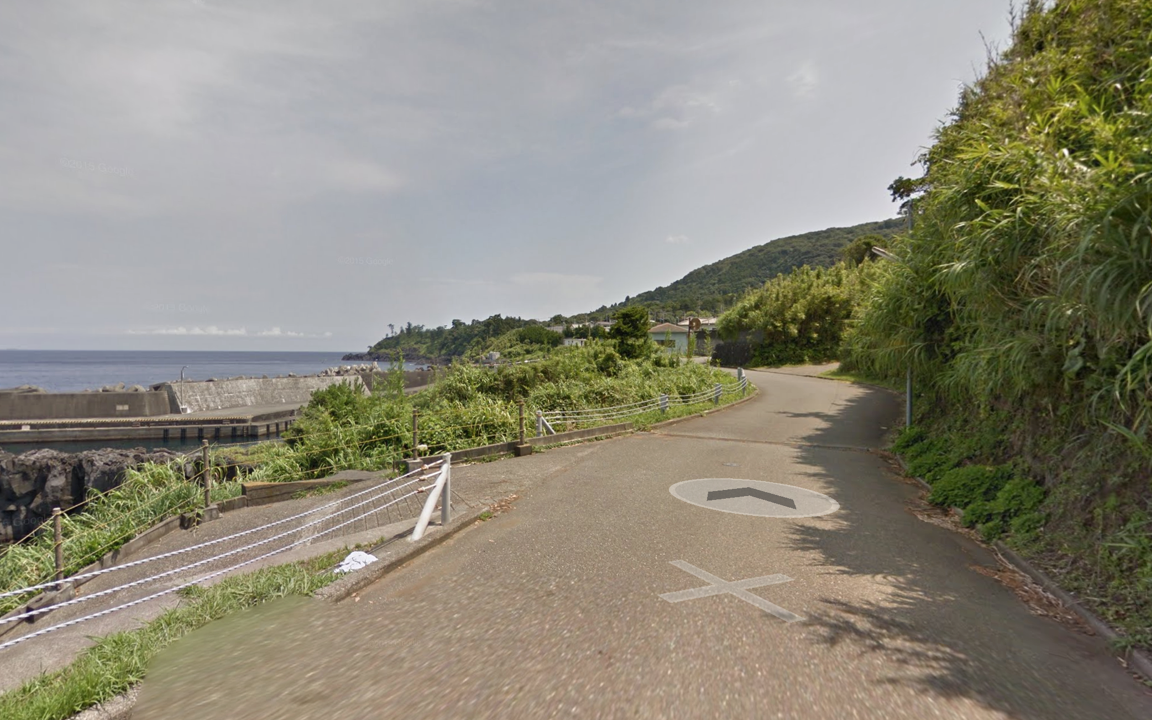
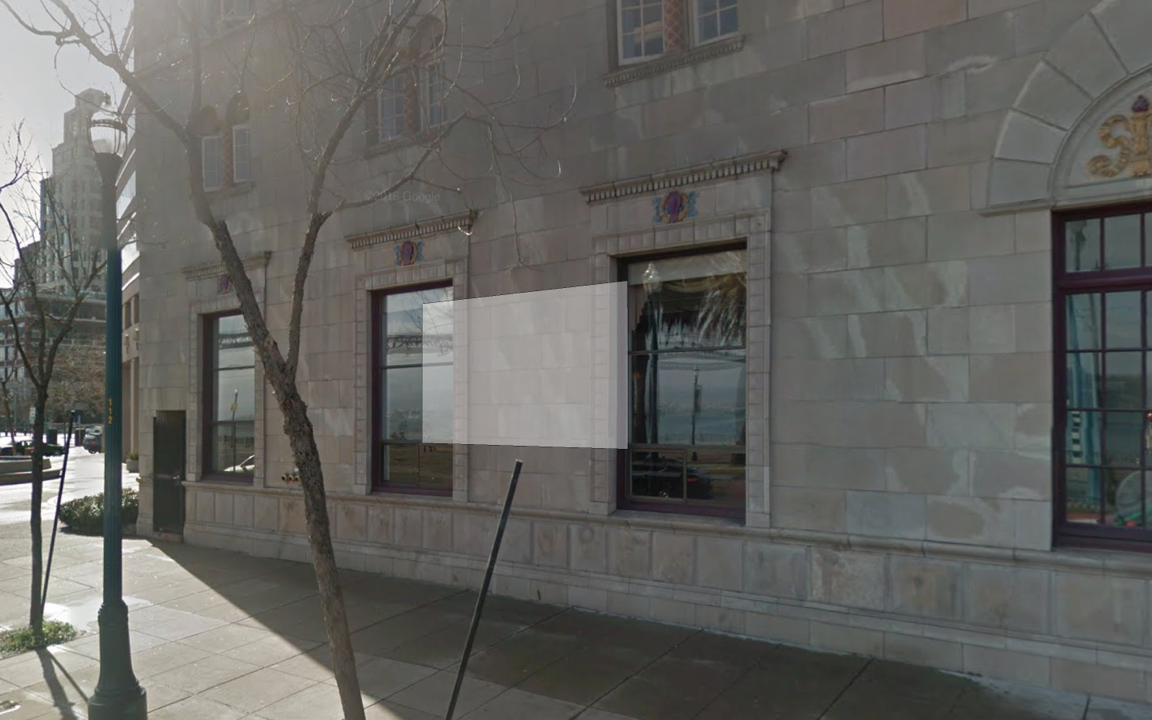
When using a desktop device with a mouse or trackpad, users will see a small "X" at the cursor location that indicates the next camera location if they choose to move forward. Arrows indicate the direction of movement. Wall rectangles identify the direction the camera will point towards.|
Next image targets
|
Next centered image target
|
 |
 |
Cleaner street names, labels and targets
Street names and labels are now separated from controls, removing overlap issues and allowing for clean display in right-to-left and left-to-right languages.|
Old renderer
|
New renderer
|
 |
 |
For more information on Street View in the Google Maps JavaScript API, please see the developer documentation.
 |
Posted by Elena Kelareva, Product Manager, Google Maps APIs |

0 $type={blogger}
Post a Comment
Thank you for reaching out to us. We are happy to receive your opinion and request. If you need advert or sponsored post, We’re excited you’re considering advertising or sponsoring a post on our blog. Your support is what keeps us going. With the current trend, it’s very obvious content marketing is the way to go. Banner advertising and trying to get customers through Google Adwords may get you customers but it has been proven beyond doubt that Content Marketing has more lasting benefits.
We offer majorly two types of advertising:
1. Sponsored Posts: If you are really interested in publishing a sponsored post or a press release, video content, advertorial or any other kind of sponsored post, then you are at the right place.
WHAT KIND OF SPONSORED POSTS DO WE ACCEPT?
Generally, a sponsored post can be any of the following:
Press release
Advertorial
Video content
Article
Interview
This kind of post is usually written to promote you or your business. However, we do prefer posts that naturally flow with the site’s general content. This means we can also promote artists, songs, cosmetic products and things that you love of all products or services.
DURATION & BONUSES
Every sponsored article will remain live on the site as long as this website exists. The duration is indefinite! Again, we will share your post on our social media channels and our email subscribers too will get to read your article. You’re exposing your article to our: Twitter followers, Facebook fans and other social networks.
We will also try as much as possible to optimize your post for search engines as well.
Submission of Materials : Sponsored post should be well written in English language and all materials must be delivered via electronic medium. All sponsored posts must be delivered via electronic version, either on disk or e-mail on Microsoft Word unless otherwise noted.
PRICING
The price largely depends on if you’re writing the content or we’re to do that. But if your are writing the content, it is $60 per article.
2. Banner Advertising: We also offer banner advertising in various sizes and of course, our prices are flexible. you may choose to for the weekly rate or simply buy your desired number of impressions.
Technical Details And Pricing
Banner Size 300 X 250 pixels : Appears on the home page and below all pages on the site.
Banner Size 728 X 90 pixels: Appears on the top right Corner of the homepage and all pages on the site.
Large rectangle Banner Size (336x280) : Appears on the home page and below all pages on the site.
Small square (200x200) : Appears on the right side of the home page and all pages on the site.
Half page (300x600) : Appears on the right side of the home page and all pages on the site.
Portrait (300x1050) : Appears on the right side of the home page and all pages on the site.
Billboard (970x250) : Appears on the home page.
Submission of Materials : Banner ads can be in jpeg, jpg and gif format. All materials must be deliverd via electronic medium. All ads must be delivered via electronic version, either on disk or e-mail in the ordered pixel dimensions unless otherwise noted.
For advertising offers, send an email with your name,company, website, country and advert or sponsored post you want to appear on our website to omodjk(at)gmail(dot)com
Normally, we should respond within 48 hours.