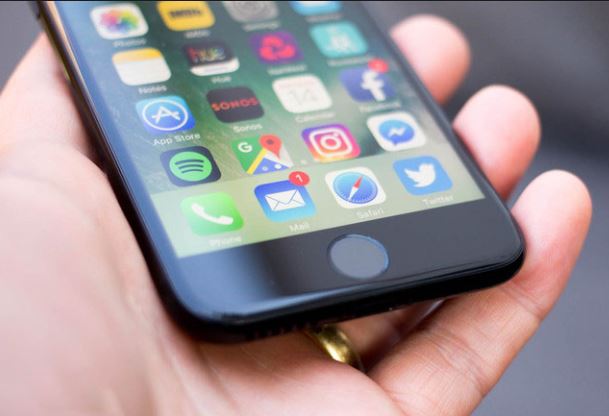
If your iPhone has been stolen or lost, Apple offers a free tool to help you get it back. And, even if you can’t get it back, you can prevent a thief from getting at your personal data, lifewire says.
To do this, you need ‘Find My iPhone’, a free service that is part of iCloud, that uses your phone’s GPS and Internet connection to help you locate it on a map and take certain actions.
What you will need:
- An iCloud account
- Find My iPhone set up on your phone before it was stolen or lost. This is super crucial. There’s no way to turn on Find My iPhone once the phone is gone.
- A web-connected computer or device
How to use Find My iPhone to find or erase your phone
As already mentioned, you must have the Find My iPhone service set up on your device before it was stolen. If you did, go to https://www.icloud.com/ in a web browser.
There’s also a Find My iPhone app (link opens iTunes) that you can install on another iOS device to track yours. This article covers using the web-based tool, though using the app is pretty similar. If your iPhone or iPod touch (or iPad or Mac) is missing, follow these steps to try to recover it:
1. Log in to iCloud using the account you used when setting up Find My iPhone. This is probably your Apple ID/iTunes account.
2. Click on Find iPhone under the web-based tools offered by iCloud. Find My iPhone immediately begins trying to locate all the devices you have it enabled on. You’ll see onscreen messages as it works.
3. If you have more than one device set up for Find My iPhone, click All Devices at the top of the screen and select the device you’re looking for.
4. If it locates your device, Find My iPhone zooms in on the map and shows the location of the device using a green dot. When this happens, you can zoom in or out of the map, and view it in standard, satellite, and hybrid modes, like in Google Maps. When your device is found, a window appears in the right corner of your web browser. It lets you know how much battery your phone has and offers a few options.
5. Click Play Sound. This is the first option because sending a sound to the device is best when you think you’ve lost your device nearby and want help finding it. It can also be helpful if you think someone has your device but is denying it.
6. You can also click Lost Mode. This allows you to remotely lock the device’s screen and set a passcode (even if you hadn’t previously set up a passcode). This prevents a thief from using your device or accessing your personal data.
7. Once you click the Lost Mode button, enter the passcode you want to use. If you already have a passcode on the device, that code will be used. You can also enter a phone number where the person who has the device can reach you (this is optional; you may not want to share this information if it’s been stolen). You also have the option to write a message that is displayed on the device’s screen.
8. If you don’t think you’ll get the phone back, you can delete all data from the device. To do this, click the Erase button. You’ll see a warning (basically, don’t do this unless you’re absolutely sure you want to). Click the box that says you understand what you’re doing and click Erase. This will delete all the data on your phone, preventing the thief from accessing it. If you get the device back later, you can restore your data from backup.
9. If you think your device is on the move, click the green dot representing your phone and then click the rounded arrow in the pop-up window. This updates the device’s location using the latest GPS data.
What to do if your iPhone is offline
Even if you have set up Find My iPhone, your device may not show up on the map. Reasons for why this may happen include that the device:
- is turned off or out of battery
- isn’t connected to the Internet
- has had its Location Services disabled.
If Find My iPhone isn’t working for whatever reason, you have a handful of options:
- Check the Notify Me When Found box. Find My iPhone will let you know when your device next connects to the Internet so you can find it.
- The three options – Play Sound, Lost Mode, and Erase – are available. Use whichever you want and the next time the device is connected to the Internet, the option you picked will happen.
- Choose Remove from Account if you’ve sold or given away the device and don’t want it to show up in Find My iPhone anymore.
0 $type={blogger}
Post a Comment
Thank you for reaching out to us. We are happy to receive your opinion and request. If you need advert or sponsored post, We’re excited you’re considering advertising or sponsoring a post on our blog. Your support is what keeps us going. With the current trend, it’s very obvious content marketing is the way to go. Banner advertising and trying to get customers through Google Adwords may get you customers but it has been proven beyond doubt that Content Marketing has more lasting benefits.
We offer majorly two types of advertising:
1. Sponsored Posts: If you are really interested in publishing a sponsored post or a press release, video content, advertorial or any other kind of sponsored post, then you are at the right place.
WHAT KIND OF SPONSORED POSTS DO WE ACCEPT?
Generally, a sponsored post can be any of the following:
Press release
Advertorial
Video content
Article
Interview
This kind of post is usually written to promote you or your business. However, we do prefer posts that naturally flow with the site’s general content. This means we can also promote artists, songs, cosmetic products and things that you love of all products or services.
DURATION & BONUSES
Every sponsored article will remain live on the site as long as this website exists. The duration is indefinite! Again, we will share your post on our social media channels and our email subscribers too will get to read your article. You’re exposing your article to our: Twitter followers, Facebook fans and other social networks.
We will also try as much as possible to optimize your post for search engines as well.
Submission of Materials : Sponsored post should be well written in English language and all materials must be delivered via electronic medium. All sponsored posts must be delivered via electronic version, either on disk or e-mail on Microsoft Word unless otherwise noted.
PRICING
The price largely depends on if you’re writing the content or we’re to do that. But if your are writing the content, it is $60 per article.
2. Banner Advertising: We also offer banner advertising in various sizes and of course, our prices are flexible. you may choose to for the weekly rate or simply buy your desired number of impressions.
Technical Details And Pricing
Banner Size 300 X 250 pixels : Appears on the home page and below all pages on the site.
Banner Size 728 X 90 pixels: Appears on the top right Corner of the homepage and all pages on the site.
Large rectangle Banner Size (336x280) : Appears on the home page and below all pages on the site.
Small square (200x200) : Appears on the right side of the home page and all pages on the site.
Half page (300x600) : Appears on the right side of the home page and all pages on the site.
Portrait (300x1050) : Appears on the right side of the home page and all pages on the site.
Billboard (970x250) : Appears on the home page.
Submission of Materials : Banner ads can be in jpeg, jpg and gif format. All materials must be deliverd via electronic medium. All ads must be delivered via electronic version, either on disk or e-mail in the ordered pixel dimensions unless otherwise noted.
For advertising offers, send an email with your name,company, website, country and advert or sponsored post you want to appear on our website to omodjk(at)gmail(dot)com
Normally, we should respond within 48 hours.